Legal billing · Australian legal practices
Legal billing software that connects the work to the invoice.
Record work against the matter, review what is ready to bill and follow the invoice through approval, delivery and payment. Keep the billing record close to the work that produced it.
- Matter-based time, expenses and WIP
- Draft, approval and payment status tracking
- Invoice PDFs and configured payment links
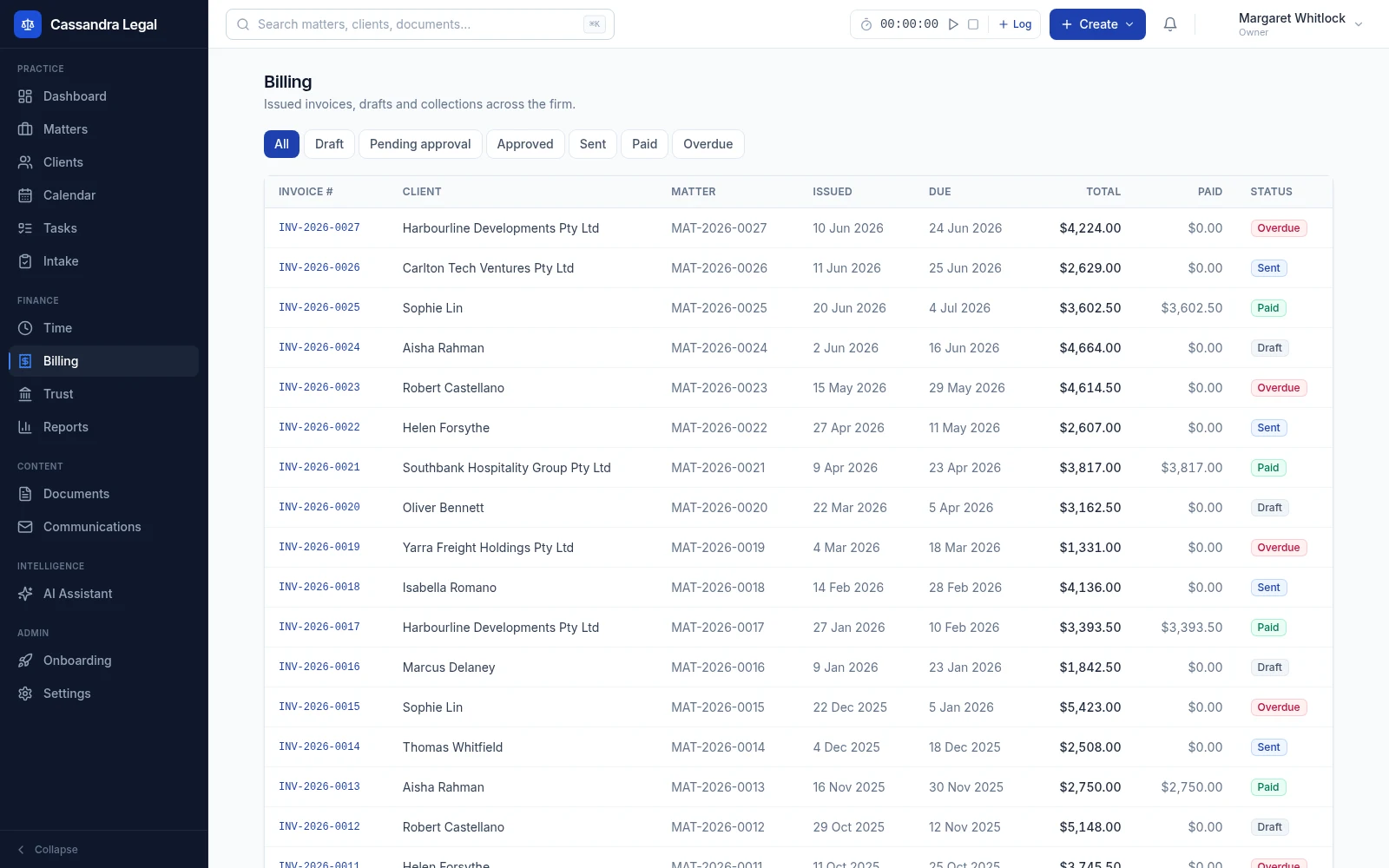
A clear path from recorded work to a paid invoice.
- 1
Capture time and expenses on the matter
Use the timer or add a time entry with minutes, rate, description and billable status. Record expenses and disbursements against the same matter so the billable work is available for WIP review.
- 2
Review WIP and prepare a draft
Review unbilled billable time and expenses, then generate a draft invoice. The invoice keeps line items, subtotal, GST and total together. Review the entries, wording and tax treatment before submitting for approval or sending.
- 3
Approve, send and follow payment
Use pending approval, approval and rejection steps where your firm needs review. Send the invoice through configured email or client-portal workflows, download its PDF and track outstanding, partial and paid amounts.
Keep billing status meaningful.
An invoice moving through the practice is different from money received. The billing workspace separates the document's workflow status from the recorded payment amount, so your team can follow both.
- Work in progress
- Review unbilled billable time and expenses by matter before they become invoice line items. Generated invoices link the underlying entries to the bill.
- Draft and approval
- Prepare and review a draft, submit it for approval, approve it or return it for changes. A draft can also be sent directly where your firm's process permits skipping the approval step.
- Delivery and collection
- Download an invoice PDF, send through configured communication workflows and create a Stripe payment link when the payment provider is configured.
- Payment and reporting
- Record eligible invoice payments and review partial balances, overdue amounts and receivables. Trust-funded payment workflows also check the related matter's trust balance.
Practical questions
About legal billing in Cassandra Legal.
Confirm the details for your practice with our team before moving live records. Contact Cassandra Legal.
Does legal billing include time recording?
Yes. The workspace supports a timer and manual time entries linked to a matter. Billable minutes and rates feed WIP review, alongside billable expenses, before draft invoice generation.
Can invoices go through an approval process?
Yes. Invoices can move from draft to pending approval, then be approved or returned to draft for changes. A firm can also send a draft directly when its process permits that shortcut.
Can clients pay an invoice online?
Stripe payment links are available when the payment provider and required settings are configured. Provider charges and terms apply. The app also records supported internal payment and trust-transfer workflows; verify your firm's collection process before going live.
Does the software handle every GST scenario?
Current draft generation applies standard 10% GST to the billable subtotal. Firms should check tax treatment, GST-free services and disbursement requirements before using it for exceptions. An invoice requires professional review before it is issued.
Follow the connected workflow.
Matter management
A matter is more than a title and a list of documents. Keep the people, work, deadlines and financial position together so the next person opening the file can understand what needs to happen.
Trust accounting
Follow the trust position by matter, record ledger movements and review differences against statement information. Keep transaction history and reconciliation work accessible to the people responsible for the account.