Trust accounting · Australian legal practices
Legal trust accounting with the records behind every balance.
Follow the trust position by matter, record ledger movements and review differences against statement information. Keep transaction history and reconciliation work accessible to the people responsible for the account.
- Matter ledgers and overdraw checks
- CSV statement matching and variance review
- Transaction history and examiner CSV export
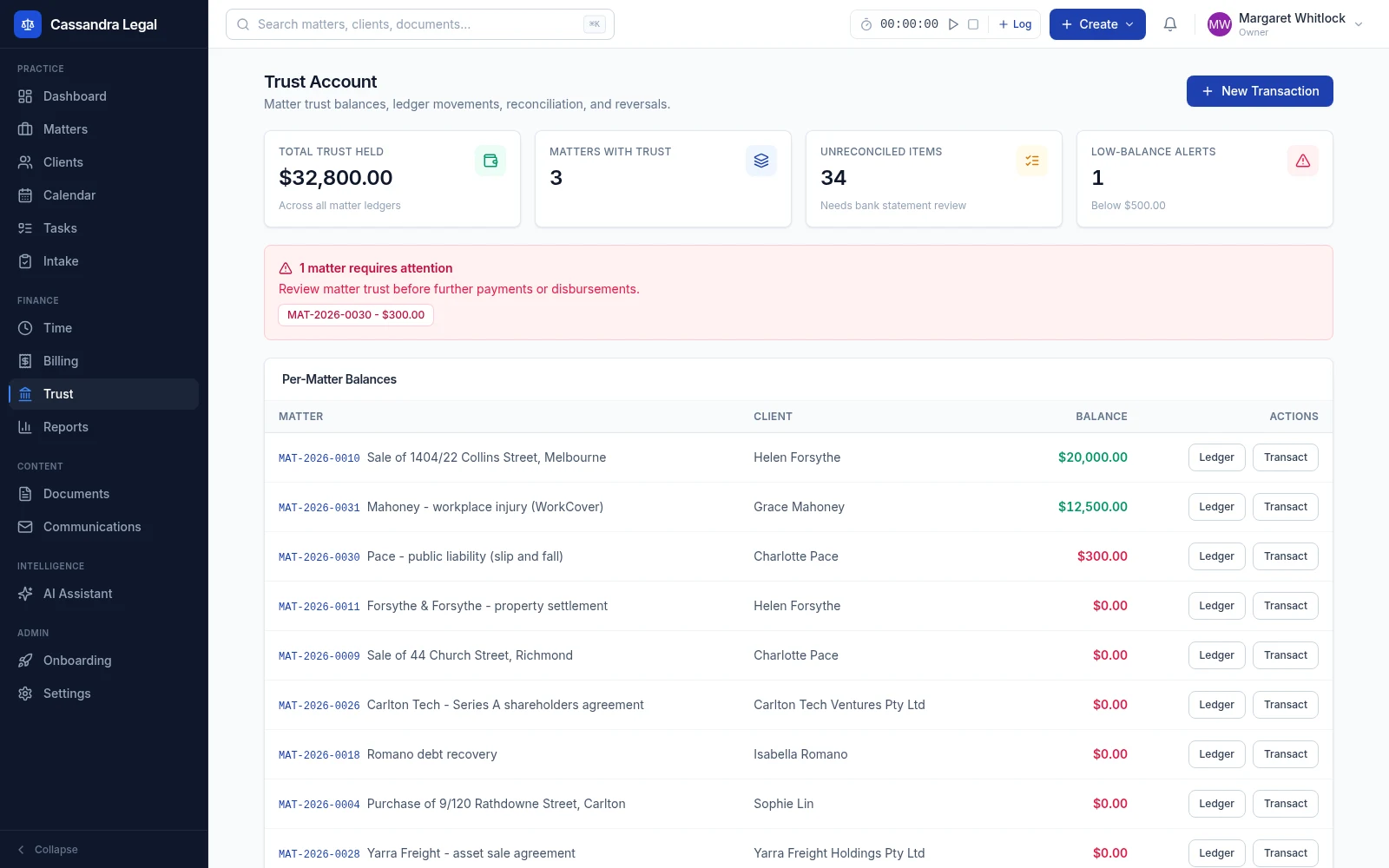
Record, compare and review before you rely on a balance.
- 1
Record a movement against the right matter
Authorised accounts, partner and owner users can record trust receipts, payments and journals with the date, description and relevant payee details. Payment and journal entries are checked against the matter's available trust balance.
- 2
Preview the bank statement CSV
Import statement rows and review matched, possible and unmatched items. The auto-reconcile action uses exact matches from the preview; possible matches and unexplained differences remain work for the operator to review.
- 3
Compare totals and retain the report
Review the matter-ledger total, trust cashbook total and an entered bank statement ending balance. Investigate report variances, review unreconciled entries and export the transaction CSV for examination and further review.
A balance should lead back to its entries.
The overview is a starting point. Open an individual matter ledger to review the transactions contributing to its balance, then use statement information and reports to investigate differences.
- Matter-level position
- Review total trust held, individual matter balances, low-balance alerts and counts of reconciled and unreconciled transactions.
- Controlled recording
- Trust recording and reconciliation actions are restricted to authorised roles. Overdraw checks apply to the matter balance when an outgoing movement is recorded.
- Corrections and history
- Eligible voids create compensating ledger entries rather than deleting the original record. Invoice-linked entries require coordinated billing review instead of a direct ledger-only void.
- Statement review and export
- Preview CSV matches, compare statement and ledger totals, inspect variance messages and download a transaction CSV with dates, amounts, matter references and reconciliation flags.
A statement CSV your team can inspect.
The statement workflow accepts a header row with a transaction date and a signed amount, or separate debit and credit columns. ISO dates make the intended date clear. This fictional example uses one receipt and one payment:
date,description,reference,amount
2026-10-01,Example receipt,DEMO-001,1000.00
2026-10-02,Example payment,DEMO-002,-200.00
Preview the file before reconciling. Confirm references and amounts against the underlying ledger; a suggested match is not independent verification that a bank transaction is correct.
Practical questions
About trust accounting in Cassandra Legal.
Confirm the details for your practice with our team before moving live records. Contact Cassandra Legal.
Does Cassandra Legal provide a separate trust ledger for each matter?
Yes. Trust movements are associated with a matter, and the app exposes individual matter ledgers as well as a firm overview. The recorded amount and transaction history support the balance shown for that matter.
How are statement transactions matched?
The CSV workflow previews matched, possible and unmatched items against ledger entries. Exact matches can be marked reconciled by an authorised user. Possible matches and unmatched lines require review; importing a file does not by itself resolve a difference.
Does recording a trust payment move money at the bank?
The trust workflow records ledger movements and supports reconciliation. Your firm's bank-payment execution, authorisation and checking process must be verified separately; a ledger entry is not proof of bank settlement.
Is the trust software certified for every Australian jurisdiction?
This page does not claim certification or approval by a regulator. Confirm the applicable jurisdiction, your firm's obligations and the required reports with the responsible practitioner and external examiner before going live.
Follow the connected workflow.
Matter management
A matter is more than a title and a list of documents. Keep the people, work, deadlines and financial position together so the next person opening the file can understand what needs to happen.
Legal billing
Record work against the matter, review what is ready to bill and follow the invoice through approval, delivery and payment. Keep the billing record close to the work that produced it.